Aion's
discord server
What is the discord server?
Aion Institute’s Discord server is our vibrant virtual community space—a place where the imaginal meets the interpersonal, and where learning extends beyond the classroom into dynamic conversation, peer connection, and soulful reflection.
While the courses offered at Aion are structured, rigorous, and steeped in the depth traditions of psychoanalytic and Jungian thought, we believe that meaningful education must also be relational and alive. The Aion Discord server offers just that: a private, interactive forum where students, faculty, and kindred seekers can connect in real time.
Whether you’re engaging in discussion groups, sharing dream imagery, exploring clinical questions, or simply sitting by the digital “fireside” with others walking a similar path, this community serves as a sanctuary for deepening, reflection, and becoming.
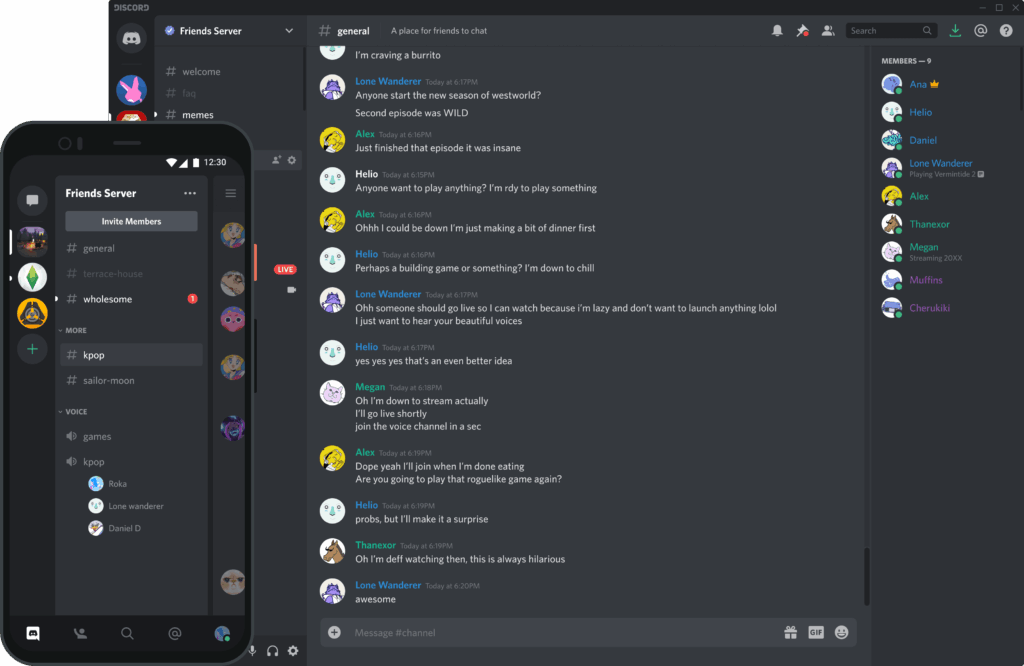
You do not need to be “tech savvy” to participate. Discord is a free and secure platform that allows for text-based conversation organized into themed “channels”—like rooms in a virtual house. Think of it as a blend between a private discussion forum and a group message board, with quiet nooks for contemplation and spirited salons for lively exchange.
How would i use the discord server?
On Aion’s Discord Server, you might:
Share reflections from a seminar in progress
Pose a clinical question to peers or instructors
Post a dream image or symbolic motif for amplification
Join your cohort in informal conversation or soul inquiry
Encounter surprise insights in liminal, mythopoetic spaces
Participation is entirely optional—but those who join often find the experience deepens their engagement with the material and fosters meaningful relationships with fellow seekers of depth.
Aion is not just a curriculum. It is a community.
And the Discord server is the living heart of that community.
how do i join?
Joining our private Discord server is easy—and it’s free. Just follow these steps to get started:
🌐
Step 1: Install Discord and create an account.
If you don’t already have a Discord account, visit https://discord.com and click Sign Up.
You can also download the Discord app on your computer or mobile device.
On desktop: https://discord.com/download
On iOS: Search “Discord” in the App Store
On Android: Search “Discord” in the Google Play Store
Once you’ve signed up, you’ll be asked to verify your email.
🔗
Step 2: Join Aion’s Server.
Once you have Discord installed and create an account, click here to join Aion’s server!
This will bring you directly into our server.
🧭
Step 3: Find your way around.
Once inside, you’ll see channels on the left-hand sidebar—organized like rooms or conversation spaces.